

The best smart displays for the kitchen are the Google Nest Hub (2nd Gen) for compact, glanceable cooking help, the Amazon Echo Show 8 for the strongest all-around value, and the Echo Show 15 for recipes, calendars, and timers visible across a larger kitchen.
Our top picks
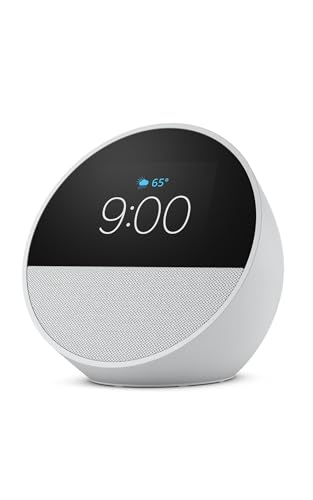 Amazon Echo Spot
- A sleek smart alarm clock with Alexa and…
- See time, weather, and song titles at a…
- Enjoy rich sound with clear vocals and deep…
 Amazon Echo Spot
- A sleek smart alarm clock with Alexa and…
- See time, weather, and song titles at a…
- Enjoy rich sound with clear vocals and deep…
 Amazon Echo Spot
- A sleek smart alarm clock with Alexa and…
- See time, weather, and song titles at a…
- Enjoy rich sound with clear vocals and deep…
As an Amazon Associate we earn from qualifying purchases at no extra cost to you.
Best smart displays for the kitchen at a glance
| Model | Screen and footprint | Weight | Speaker profile | Best kitchen use | Typical market range in 2026 |
|---|---|---|---|---|---|
| Google Nest Hub (2nd Gen) | 7 in, 1024 × 600; about 7.0 × 4.7 × 2.7 in | About 1.0 lb | Full-range speaker with passive radiator | Small counters, Google recipes, timers, no-camera preference | About $50–$100 |
| Amazon Echo Show 8 (3rd Gen) | 8 in, 1280 × 800; about 7.9 × 5.5 × 3.9 in | About 2.3 lb | 2.0-inch stereo speakers with bass response | Best balance of visibility, sound, and price | About $100–$170 |
| Google Nest Hub Max | 10 in, 1280 × 800; about 9.9 × 7.2 × 4.0 in | About 2.9 lb | 2.1 speaker system with woofer | Larger Google Assistant display and video calls | About $180–$230 when available |
| Amazon Echo Show 10 (3rd Gen) | 10.1 in, 1280 × 800; about 9.9 × 9.0 × 6.7 in | About 5.6 lb | 2.1 stereo system with dedicated woofer | Cooking while moving around a large kitchen | About $180–$250 |
| Amazon Echo Show 15 | 15.6 in, 1920 × 1080; about 15.8 × 9.9 × 1.5 in | About 4.9 lb | Two built-in full-range speakers | Wall-mounted recipes, family schedules, and large text | About $220–$300 |
Dimensions and pricing can vary slightly by generation, bundle, and retailer. These displays are designed for indoor use and should not be treated as waterproof appliances.
Our picks by kitchen situation
- Limited counter space: Choose the Google Nest Hub (2nd Gen). Its small base fits beside a coffee maker or toaster, and the 7-inch screen is readable from a nearby prep area.
- Best overall balance: Choose the Echo Show 8 (3rd Gen). It offers a noticeably larger screen than the Nest Hub without the bulk and cost of a 10-inch rotating model.
- You move around while cooking: Choose the Echo Show 10. Its motorized display can turn toward you, reducing the need to stand directly in front of the screen.
- You want Google services: Choose the Nest Hub or Nest Hub Max. They suit households already using Google Calendar, Google Photos, YouTube, and Google Assistant.
- You need text visible from across the room: Choose the Echo Show 15 and mount it at eye level. Its 15.6-inch screen is more useful for a recipe card or shared schedule than a small countertop display.
- You prioritize sound: Choose the Echo Show 10, Nest Hub Max, or Echo Show 8 rather than the smallest display. Their larger enclosures produce fuller music and spoken instructions.
Screen visibility matters more than diagonal size
A kitchen display is often viewed from several feet away, at an angle, and under bright overhead lighting. The Echo Show 15 has the clearest advantage for large text because its 15.6-inch 1080p panel can show more of a recipe at once. It is also the easiest model to read from a dining area or the opposite side of an open-plan kitchen.
The 8-inch Echo Show 8 is a practical middle ground. Its 1280 × 800 resolution is sufficient for recipe steps, timers, shopping lists, and video calls, while its smaller footprint leaves room for a cutting board or mixing bowl. The 7-inch Nest Hub is legible for close-to-medium viewing, but more scrolling may be required when a recipe contains long instructions.
Glossy screens can reflect windows and ceiling lights. Before buying, identify the viewing direction and choose a position where the display will not face a bright window. Wall mounting can improve visibility by raising the screen above counter clutter, but it makes cleaning and power-cable routing more complicated.
Recipe controls: voice is helpful, but touch still matters
Voice control is useful when your hands are covered in flour or raw-food residue. You can ask compatible assistants to set a timer, convert measurements, multiply servings, or advance to the next step. In practice, recipe support depends on the service and source. Some recipes offer structured, step-by-step navigation, while others open as ordinary web pages with limited hands-free control.
Touch controls remain important for pausing a video, dismissing a timer, scrolling past an ingredient, or correcting a misunderstood voice command. Look for a display with large on-screen controls and a responsive interface rather than choosing solely by assistant brand.
Google displays are a natural fit if your recipe and calendar habits are already centered on Google services. Echo Show models work well with Alexa timers, shopping lists, routines, and compatible recipe content. Neither platform should be assumed to control every third-party cooking website equally well.
Speaker quality and voice pickup
The Nest Hub (2nd Gen) is suitable for spoken timers, podcasts, and background music, but it is not the strongest choice for filling a large kitchen with sound. The Echo Show 8 has a fuller presentation and is generally the better compromise for everyday listening.
The Echo Show 10 and Nest Hub Max have larger speaker systems and are better for music or video instructions in a noisy room. A bigger speaker does not guarantee perfect voice recognition: extractor fans, blenders, and running water can still interfere. Place the display away from the loudest appliance and avoid putting it inside a deep shelf, where microphones may be obstructed.
Splash resistance and kitchen durability
Most mainstream smart displays are not rated as water-resistant. A wipe-clean glass front does not mean the device can tolerate steam, splashes, grease, or a wet countertop. Keep the display several inches away from the sink and hob, never spray cleaner directly onto it, and unplug it before cleaning.
Use a soft, slightly damp microfiber cloth for the screen and a dry cloth around speaker openings. Avoid abrasive cleaners, aerosol sprays, excess liquid, and cleaning products containing strong solvents. The parts most likely to suffer in kitchen ownership are the power cable, speaker grille, touch surface, and—in the case of the Echo Show 10—the rotating base mechanism.
Do not place a display directly above a kettle or coffee machine. Repeated bursts of hot vapor can enter openings and leave mineral or grease residue. A protective screen film may reduce fingerprints, but it can also increase glare or reduce touch sensitivity.
Countertop versus wall mounting
Countertop placement is easiest and makes the device portable, but it consumes valuable prep space. The Nest Hub and Echo Show 8 are the least intrusive options. Measure the usable depth, not just the width: a display can fit numerically while leaving too little room to reach nearby switches or appliances.
The Echo Show 15 is designed primarily for wall mounting and is the best choice when you want a shared household dashboard. Mount it into a suitable stud or use hardware rated for the wall type. Check that the outlet and cable route will not cross a sink or cooking surface. A wall-mounted screen should also be positioned where a person can touch it without stretching over hot cookware.
The Echo Show 10 needs special attention. Its rotating screen requires clearance around the base and may turn into a wall, cabinet, or nearby appliance. It is a poor fit for a narrow counter even though its screen is only about 10 inches diagonally.
A simple value calculation
Suppose a $150 display is used five days per week for three years. That is approximately 780 cooking days, making the hardware cost about $0.19 per use before electricity. A $250 model used daily for the same period costs about $0.23 per use. The difference is small if you regularly use timers, recipes, music, and shopping lists; it is harder to justify if the display will only show an occasional timer.
For occasional use, a compact model is usually the sensible purchase. For daily cooking, better visibility, stronger speakers, and a mounting arrangement that keeps the screen clean may matter more than the lowest initial price.
Setup choices that prevent common problems
- Choose the viewing position first. Stand at your normal prep location and confirm that the screen is readable without blocking a work surface.
- Connect to the stronger Wi-Fi band in that location. A display placed near appliances or behind cabinets may need a better access-point position rather than repeated resets.
- Create separate cooking routines. A “start cooking” routine can open a preferred recipe service, set a default timer, and adjust volume without issuing several commands.
- Set a clear wake-word and privacy habit. Disable the microphone when it is not needed, especially in a shared household, and use any available camera shutter or software privacy control.
- Clean around—not into—the device. Wipe the screen and stand regularly, but keep liquid away from microphones, ports, and speaker openings.
Bottom line
For most kitchens, the Echo Show 8 (3rd Gen) is the strongest all-round choice because it combines an adequately large screen, good speakers, useful Alexa controls, and a manageable countertop footprint. Select the Google Nest Hub (2nd Gen) when space, Google services, or a camera-free design matter most. Choose the Echo Show 10 for moving, noisy kitchens, and the Echo Show 15 when wall-mounted visibility and household organization are more important than compactness.








Write Your Review
No reviews yet. Be the first to share your experience!